Marbles in your browser
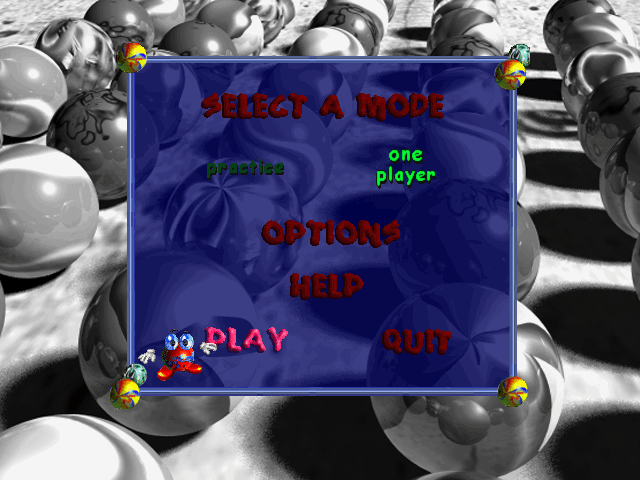
Marbles from Microsoft Plus! 98, the first DirectDraw program the emulator rendered end to end. Marbles runs in Wine-Assembly, a Windows 98 emulator written in WebAssembly Text, so it starts in the browser with nothing to install.
About this program
| Detail | |
|---|---|
| Executable | MARBLES.EXE |
| Format | 32-bit Windows (PE) |
| Libraries loaded beside it | none; everything else is the emulator's own Win32 layer |
| Data files mounted | 25 |
| Desktop group | Plus! 98 |
How it runs here
The x86 code is interpreted by threaded code written in WebAssembly Text; windows, controls, menus and dialogs are the emulator's own Win32 layer, and every pixel is drawn by a software GDI in the same module. See how the program and its DLLs are loaded.
Reverse-engineering notes for this program:
Something wrong? The emulator is open source; report it on GitHub with the app name and what you clicked.
Questions
How do I play Marbles in my browser?
Open the Marbles page and click Launch. The program's files are fetched from this site and run inside the tab as WebAssembly; nothing is installed and nothing is uploaded.
What are the controls for Marbles?
The mouse selects marbles and moves them. Choose a game from the opening menu.
Does Marbles work on a phone?
It loads in mobile Safari and Chrome and the desktop scales to the screen, but Marbles was made for a mouse and a keyboard, so it plays best on a desktop browser. Taps act as clicks.
Are my scores and settings saved?
Whatever Marbles writes to the Windows registry or to its INI file is kept in this browser's local storage, so it is there next time on the same device and browser. Clearing site data removes it.
Does Marbles have sound here?
Yes. Sound effects go through DirectSound to the browser's Web Audio and the music is MIDI, played by a General MIDI synthesizer built into the page. Browsers only allow audio after a click or a key press.
Is this the real Marbles or a remake?
It is the original 32-bit Windows (PE) executable (MARBLES.EXE), run instruction by instruction by an x86 interpreter written in WebAssembly Text. The emulator provides the Windows API underneath it, not a rewrite of the program.